Complete your habits, or lose money
Forfeit is a habit contract app for iPhone, Android, Mac and web. Say what you're going to do, when you're going to do it, and how much money you lose if you don't do it. Send evidence of you completing your task before the deadline, or we take your money.


Don't take our word for it
If it had existed 25 years ago my life would've had a completely different trajectory
This app has literally changed my life. I 100 percent believe that if it had existed 25 years ago my life would have had a completely different trajectory. I'm so grateful to the makers of this app who have allowed me to reach levels of productivity and growth in ways that I previously only dreamed of. Now I don't need to worry about the ebbing and flowing of willpower. I'm stronger, fitter, making better food choices and generally getting more done in life.
🇺🇸 Zane, USA
Never been in such good shape in all the domains of my life
Before Forfeit, I was a serial habit breaker. I was unable to maintain routines for more than three weeks even though I tried EVERYTHING. But this app revolutionized my approach. Be it: daily cold baths and meditation, working out five times a week, becoming top 4% in codewars, consistently studying, cleaning my house regularly. Forfeit turned my aspirations into tangible habits. The secret? Accountability and financial stakes. I transformed into a disciplined individual.
🇦🇹 Brice, Austria
Foundation that enables all changes
Forfeit was a step change in my career. Working remotely, I had vague boundaries between personal life and work, and frequent cycles of 'boom and bust' procrastination followed by last-minute crunching. Since I started using Forfeit a few months ago, I've been having crisp, full-time work hours, productive when I'm on and guiltlessly relaxed when I'm off. I've said yes to and pulled off opportunities I wouldn't have dared to earlier.
🇧🇷 Helder, Brazil
It sounds a little hyperbolic to say an app is life changing, but Forfeit truly is
It's remarkable what you can accomplish when willpower is no longer a barrier. Never before have I been so consistent with all those hard things that I want to do. I'm well on my way to being the fittest I've ever been, and feeling in charge of my life like never before. It's a secret weapon - if only I had this app 5 years ago!
🇬🇧 Oliver, UK
Forfeit is a monster of an app
Outsource your executive function: Forfeit is a monster of an app. Force yourself to do things that are important but not urgent by making submitting proof urgent. Submitting timelapses for proof is KICKASS. I'm so much more focused when the timelapse is recording vs when I just have a task scheduled in my calendar. Super flexible with options for how often you have to submit proof.
🇺🇸 Devi, USA
Been hunting for an app like this for years
As a busy entrepreneur with ADHD and many life improvement goals (both big and small), I've been often plagued by tasks I promised myself to do falling by the wayside. Often, this is because they lack any 'skin in the game'. This app helps you implement a straightforward accountability and penalty system. The fact that an actual human being rather than some machine is on the other side validating or contesting your submitted proof adds a clear and motivating dimension for sticking to your word.
🇺🇸 Raj, USA
60th percentile to 90th percentile, primarily because of Forfeit
Made a comeback from a rank of 29000 (60th percentile) to a rank of 5000 (90th percentile) in Indian Medical Residency entrance exams in 2.5 months, after my biggest support, my grandma, passed away. It was possible primarily because of Forfeit. Love how the verification system literally pays very close attention and prevents cheating. Surprises me everyday as I keep discovering more consistency and potential in myself via Forfeit.
🇮🇳 Shruti, India
The progress I've made with this app is unbelievable
I struggle with BPD and Bipolar Disorder which can sometimes lead to me not wanting to take my medicine, but not anymore. This app has helped me make consistent progress in not only taking my medicine every day but helping me to meditate, go to sleep on time, and do homework. The progress I've made with this app is unbelievable and I can't thank the creators enough.
🇺🇸 Jax, USA
Forfeit really helped me achieve this qualification
In years of trying to overcome procrastination, ADHD symptoms, and lack of motivation, I've learnt that telling myself I'll do something just doesn't work, or doesn't work reliably enough. Forfeit removes that. I just have to do it and prove that I've done it. It works. I used the Timelapse function to complete academic reading 5 days a week for a postgraduate course, and set Forfeits for word count milestones for my assignments. Forfeit really helped me achieve this qualification and score a distinction.
🇬🇧 Ro, UK
How does it work?
Pick a verification method, set your stake, and Forfeit holds you to it.
As flexible as you need.
Forfeit bends to your life. Appeal when it genuinely isn't your fault, run habits on the schedule that works for you, and set exactly how strict you want it to be.
Appeal if something comes up.
Got the flu? Family emergency? Genuinely couldn't make it? Send a doctor's note or whatever proof you have - a real human reviews every appeal within 12 hours.
Fits to your schedule.
Choose to submit the forfeit:
- X days a week (ie, 3 times each week)
- Above a certain percentage of the time (eg, 33% of the time)
- Only on specific days (eg, Monday, Wednesday, Friday)
Set how easy appeals are.
Tell Forfeit how strict to be when you submit an appeal, whether you need a refund, want to skip a day, or got blocked by something out of your control. Once your goal is running, your rule is locked in. No softening it mid-week when you're trying to wriggle out.
A real human reviews every piece of evidence.
Either AI or a person on our team checks your evidence before you get charged.
Overlord, your AI coach.
Chat with Overlord 24/7. It knows what you're up to at any point in the day, and can take actions to force you to stick to your habits.
What punishments can you set?
Pick whatever hurts. Forfeit fires it automatically the moment you miss.
Forfeit money
We take a stake from your card the moment you miss. You set the amount.
Text a contact
Send an embarrassing or accountability text to a friend, partner, or parent.
Call a contact
A real call goes out from a Twilio number. Hard to ignore.
Block apps
Lock the apps you waste time on. Phone or Mac, your choice.
Lock your Mac
Forfeit's Mac app locks your screen until you do the work.
Email a contact
Send a callout email to a friend, partner, or parent. Subject line included.
Introducing Overlord
Fasting Time Depends on Weight
No Bars on Weeknights
Make Bed to Unblock Reddit
Block TikTok During Lecture
No DoorDash
Overlord Decides Bedtime
Deep Work Earns Screen Time
10hrs of Claude Code Daily

Overlord knows all this about you.
Overlord pulls live signal from your phone, Mac, calendar, and habits so it actually knows when you're slipping.
How does Overlord keep you on track?
When you slip, Overlord doesn't just log it. It picks the intervention that fits the moment, then keeps escalating until you are back on track.
It calls you.
Notifications are easy to swipe away. A ringing phone is not. When you are off-task and texts are not landing, Overlord places a real voice call and reads you the rule you wrote.
It texts your friends.
You add a trusted contact when you set the goal. The moment you slip, Overlord texts them with what happened. Public-shame mode, by your own consent, on cooldown.
It charges you.
Stripe pre-authorises the stake when you commit. The second you break the rule, the hold captures and the money is gone. No streaks, no soft warnings, no second chances you can negotiate with yourself.
It blocks apps and websites.
On Mac, Overlord watches the active tab. If you open a site you swore off during deep work, the tab closes. On iOS, Screen Time gates the app behind an Overlord unlock.
It blocks your phone.
Hard locks. Overlord can put your phone in a brick state for a window you set, only releasable by Overlord. Useful for sleep windows, focus blocks, or "phone off when home" rules.
It checks your location.
GPS is a signal too. If you said you would be at the gym by 9, Overlord pings your location at 9:25 and forfeits the stake if you are still on the couch.
It demands evidence.
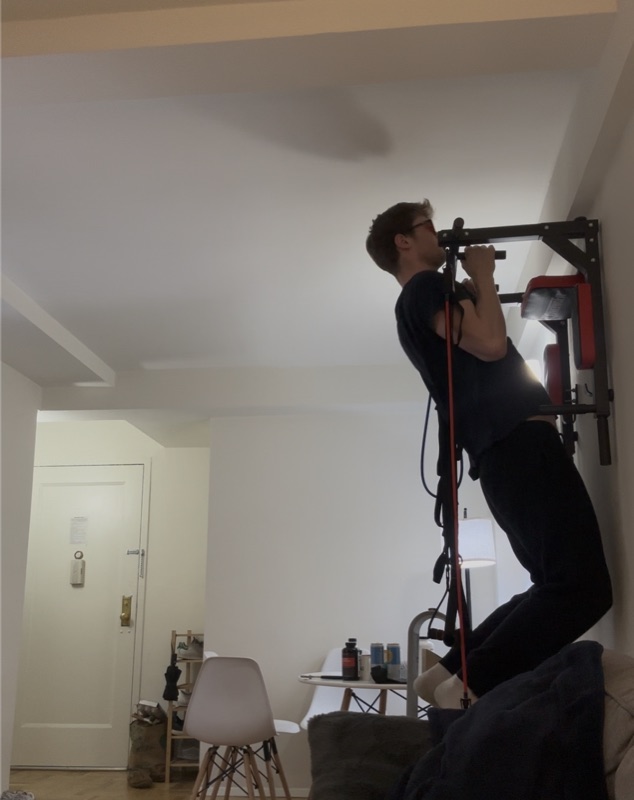
Some goals only count with proof. Overlord asks for a photo or a video. The rep count, the run watch, the empty plate. The goal stays open until evidence lands and clears the rule.
It remembers everything.
Long-term memory of your patterns, your weak hours, your wins, and the excuses that show up on repeat. The "I never said that" move stops working.
Overlord runs on your Mac and keeps you on task.
A native macOS app that watches your screen, blocks the wrong sites and apps, and nudges you back when you drift.
Tracks Everything
Every ten seconds, Overlord tracks all applications, websites, and website titles that you have open.
Flexible Blocking
Overlord manages your blocks, providing the leniency other blockers lack.
Pomodoro
Send Pomodoro timers to Overlord, ensuring you stay productive during work sessions.
Trigger Words
If detected, Overlord can block sites, call you, charge penalties, and more.
A forfeit for every kind of habit.
- Set the rule. Say what you'll do, by when, and how much you lose if you miss it. e.g. up by 6:30am, $15 on the line.
- Pick how to prove it. A Photo Forfeit works well: snap proof you're up, like a shot from your front step.
- Send evidence before the deadline. AI or a human reviewer checks the photo is fresh and real.
- Miss it, lose the money. No proof in the window and Forfeit charges your card automatically.
You open the Forfeit camera, step outside, and snap once. The photo has to be live (not from your camera roll) and land inside the window. AI reviews it, and edge cases go to a human reviewer.
- Connect Apple Health. Forfeit reads steps, workouts, and activity straight from your phone or watch.
- Set a threshold. e.g. a logged workout four days a week, or 10,000 steps a day.
- No manual proof. The data syncs automatically, so there's nothing to submit.
- Pick your leniency. Normal needs the numbers to hit. Hard means there's no way out.
Apple Health is the cleanest signal. Forfeit checks your steps, workouts, or activity against the threshold you set and clears the day the moment you cross it. Nothing for you to photograph.
- Set the habit. e.g. read 20 minutes a day, every day, $10 on the line.
- Pick a Timelapse Forfeit. Record a short timelapse of the session as evidence for tasks that take time.
- Send it before the deadline. A reviewer confirms you actually sat and read.
- Schedule it your way. Daily, specific days, or a weekly percentage of days hit.
A Timelapse Forfeit is built for tasks that take real time. You record a timelapse of yourself reading, then submit it before the deadline. AI or a human reviewer confirms the session was genuine.
- Set the rule. Walk the dog by 8am and again by 7pm, with money on each one.
- Pick a Photo Forfeit. Snap a quick photo on the walk as your proof.
- Send it before the deadline. AI checks it's a real, fresh photo of the walk.
- Miss it, lose the money. No photo in the window and Forfeit charges your card.
You take a Photo Forfeit out on the walk. The photo has to be live, not pulled from your camera roll. AI reviews it, and anything ambiguous goes to a human reviewer before the stake clears.
- Set the rule. Laundry done by Sunday 6pm, $20 on the line.
- Pick a Photo Forfeit. A photo of the folded, put-away pile is your proof.
- Send it before the deadline. AI or a human reviewer checks it's a real, fresh photo.
- Schedule it. Once a week, specific days, or daily, whatever fits your routine.
You snap a Photo Forfeit of the finished laundry. It has to be a live photo, not one from your camera roll, and it has to land before the deadline. AI reviews it, with a human reviewer for anything unclear.
- Pick the apps. Forfeit's screen-time blocking locks the apps you keep losing time to.
- Set web limits. Use Screen Time to cap your worst sites, and Forfeit auto-verifies you stayed under.
- Put money on it. Go over the limit and you lose the stake.
- Pick your leniency. Lenient hears appeals, Normal needs the evidence, Hard means no way out.
Web Tracking does the work. With Screen Time enabled and limits set, Forfeit reads your usage and auto-verifies whether you stayed under, no manual proof needed. App blocking enforces the rest directly.
- Grant Screen Time. Overlord blocks Instagram on your phone by default.
- Earn a session. Send a photo of your meal or a video doing sit ups to unlock a window.
- Session expires. Each earn unlocks ~10 minutes. After that Instagram re-locks until the next proof.
- Weekly review. Overlord sends a recap: total sessions earned, total minutes, worst day.
You submit a fresh photo or short video. AI checks it's real (no library, no screenshot, frames look genuine). On pass, Overlord unblocks Instagram for the session. On fail, no unlock.
- Reset to a random password. Change the account password to a 32-char random string Overlord generates in front of you.
- Overlord stores it. Encrypted in the Overlord vault. You never see it again until the unlock condition is met.
- Pick the unlock. Time-based ("June 1st"), goal-based ("after 60 days clean"), or pay-to-unlock ($30 buyout).
- On unlock. Overlord reveals the password once, prompts you to change it, then forgets it.
You go to the account, change the password to one Overlord generates live on screen. The plaintext never lives on your device. To get it back, you either wait, hit the goal, or pay the buyout.
- Pick the gym. Drop a pin on your actual gym building, not the parking lot.
- Set the schedule. Mon / Tue / Thu / Fri, any time of day. Cutoff at 10pm.
- Stay 30+ minutes. GPS must stay inside the gym geofence for 30 consecutive minutes to count.
- Optional: heart rate. Connect Apple Health. If average HR during the window is below 95, Overlord flags a "fake session".
GPS does the heavy lifting. Optional Apple Watch integration adds a heart-rate floor so sitting in the sauna for 30 minutes does not count as a workout.
- Lock the apps. iOS Screen Time hides DoorDash, UberEats, Grubhub, Caviar, Postmates.
- Connect bank. Plaid watches for charges to those merchants.
- Optional: skip Plaid. Don't want to connect your bank? Submit a screen recording every Sunday showing no activity on those apps all week.
- Stake = 2x order. Order $32 of sushi? Overlord captures $64 on top of it. Pain has to outweigh the burrito.
No evidence needed for the user. The Plaid feed surfaces the charge within hours and Overlord captures the stake automatically.
- Submit evidence. A timelapse of you working, or a Mac focus session - Overlord is the tracker.
- Block distractions. During study hours, Mac Overlord auto-closes Reddit, Twitter, YouTube, IG.
- Daily proof. By 10pm, the day's evidence has to add up to 4 hours. Less than that = forfeit.
Overlord watches a Mac focus session directly, or AI parses your timelapse to confirm real work was happening. If you cross the threshold, the day clears. If not, you can still claw it back before midnight.
- Name the contact. Their name in your phone, Instagram handle, or whichever app you'd message them in.
- Nightly screenshot. Each evening, open the thread and submit a screenshot. Date visible, no outbound texts since the last check.
- Miss it = forfeit. No screenshot submitted, or a screenshot showing a new outbound message, and the stake forfeits.
AI reads the screenshot: confirms it's the right thread, the date is today, and there are no outbound messages from you since the previous check-in. Screenshots from the photo library or with edited timestamps get flagged.
- Pick an app. Calm, Headspace, Waking Up, or "any guided session" - Apple Health Mindful Minutes tracks them all.
- Daily check. As soon as the session finishes, Overlord gets pinged and approves the goal.
Apple Health Mindful Minutes is the cleanest signal. If you use an unsupported app, snap the session-complete screen and Overlord OCRs the duration.
- GPS trip. Drop a pin on your home. The moment GPS confirms you've arrived, the timer starts.
- Send a wet-hair selfie. Within 30 minutes. AI confirms the hair is actually wet and the photo is fresh.
- Miss it = phone bricked. No selfie in 30 minutes and Overlord locks your phone until the next day.
GPS handles the trigger. The selfie has to be live (not from the photo library), the hair has to look wet on AI inspection, and it has to land inside the 30-minute window.
Frequently Asked Questions
You set a task, a deadline, and how much money is on the line. Submit proof (a photo, a video, or automatic data) before the deadline. If you don't, we charge your card (or text your friend, email your dad, block your apps, etc).
Forfeit is free to download. The subscription is $10.99/month in the US, and local prices show in the app. The money you put on a goal is separate, and you only lose it if you miss.
Overlord is the AI accountability partner inside the Forfeit app. It chats with you 24/7, watches your habits, sends reminders before deadlines, and adapts to how you behave. Tune its personality from gentle nudges to brutal honesty.
Depending on the goal: Apple Health, GPS, Screen Time, or Mac activity. For photo and video proof, either a real person on our team or an AI reviews the evidence before you're charged. Each forfeit uses the verification that fits the goal, so there's no easy way around it.
You can appeal. Tell us what happened and a real person on our team reviews every appeal within 12 hours. Each goal has its own appeal instructions that you write when you set it up. Write lenient instructions ("accept all appeals with a valid excuse") and genuine circumstances get a fair review. Write strict instructions ("accept no appeals") and there's no way out, by design.
We ask for clarification before charging you. Fewer than 5% of failures come down to an evidence issue, and you can appeal where your leniency mode allows.
iOS/iPad, Android, Mac, and web. The Mac app is for Mac blocking, and the web app is mainly for Overlord.
It runs as a native macOS app alongside your phone, with its own always-on agent. Beyond blocking distracting websites and apps in real time, it learns the archetypes you keep falling into (NSFW spirals, doing-it-again loops, fake productivity, late-night scrolling, dodging the hard part) and intercepts the moment you drift back. Each block gives you contextual options like "I'll go for a walk", "Bring me back online in 20 min", or "Lock me out for the hour", whatever the bot thinks fits the goal.
It also watches your screen to verify work goals: confirming Pomodoros, flagging trigger words on sites like YouTube, tracking which apps you actually spent the last hour in, and granting temporary unblocks when you ask. If you keep ignoring it, it can escalate and call your phone to talk you off the distraction. Download it from the settings screen in the mobile app.
On iOS it uses Apple's Screen Time framework. On Mac, our native app does the blocking. Disconnecting the tracking counts as a failure, so you can't just revoke the screen time permissions.
Stripe handles all payment processing. Forfeit never stores your card data or your passwords.
Immediately after verification. Only the Forfeit team views your files, and only during review. Mac activity data stays on your machine: only goal status (pass or fail) is reported to our server.
For now it is retained by Forfeit. We are building an option to send forfeited money to friends or your own savings.
Self-control used to be an unsolvable problem. AI changes that. We think it's now possible to enforce intentions minute by minute, not just track them, and that the right consequences (money on the line, friends notified, apps blocked) close the gap between what people say they want and what they actually do.
Yes. In-app chat support can help you set up forfeits that actually stick, and usually replies within hours. For paying users we can also jump on a quick call or video to walk you through it.
Complete your habits, or lose money
Put your money where your habits are. Set your first forfeit in under a minute.